FlowForge / Meeting notes
Meeting notes on iPhone, kept on the device
FlowForge Meeting Mode records a conversation on your iPhone and turns it into a speaker-labelled transcript, a summary, discussion topics, and action items. Transcription and speaker labels run on the device, so the recording never has to leave your phone. Meeting Mode is part of the one-time FlowForge Pro unlock.
A meeting you can act on after it ends
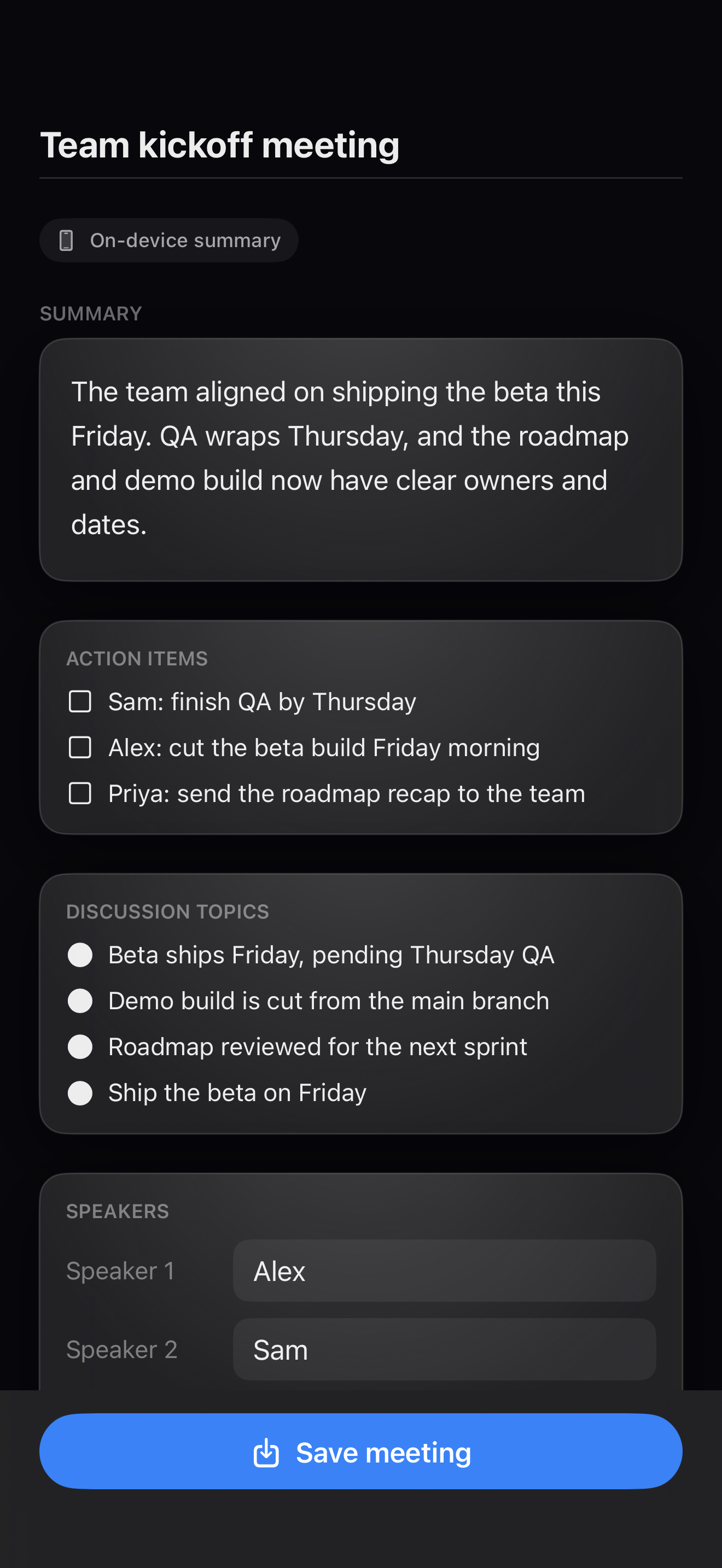
Record the whole conversation
Built for real meetings of up to about 2.5 hours. Start in a tap and let it run.
Transcript and speakers, on device
FlowForge transcribes on the iPhone and labels who said what. The recording and transcript never have to leave the device.
Summary, topics, action items
You get a clear summary, the discussion topics, and a list of action items you can edit before you save.
Export where you work
Send the finished record through the same FlowForge destinations as your quick notes: Files, Notion, Obsidian, and more.
The recording stays on your phone
Meeting Mode does its work on the device. The audio is transcribed and speakers are labelled on your iPhone, and the recording is not uploaded anywhere. If you want a cloud-generated summary, you can turn that on with your own AI provider key. It is off by default, and FlowForge tells you whenever a summary used it.
Recording other people carries responsibilities that vary by location. Before your first recording, FlowForge shows a one-time reminder to get the consent your local laws require. That is a prompt, not legal advice. When in doubt, ask the room first.
Questions, answered
Does FlowForge send my meeting recording to the cloud?
No. Meeting Mode records, transcribes, and labels speakers on your iPhone. The recording and transcript stay on the device. A cloud summary is optional, off by default, and uses your own AI key only when you turn it on, and FlowForge tells you when a summary used it.
How long a meeting can FlowForge record?
Meeting Mode is built for real conversations of up to about 2.5 hours, such as client calls, study groups, and planning sessions. Recording and on-device transcription run the whole time without sending audio anywhere.
Is Meeting Mode free?
Meeting Mode is part of the one-time FlowForge Pro unlock ($39.99, not a subscription). The rest of FlowForge, including quick voice notes, on-device transcription, and Apple Notes and Obsidian export, is free to use.
Do I need consent to record a meeting?
Recording-consent laws vary by location, and following them is your responsibility. Before your first recording, FlowForge shows a one-time reminder. It does not give legal advice; when in doubt, ask everyone in the room first.
Record the meeting. Keep the record.
FlowForge is free to download. Meeting Mode is part of a one-time FlowForge Pro unlock, with no subscription and no cloud recording.